 GEM-X Chip & Holder Assembly with Gasket
-
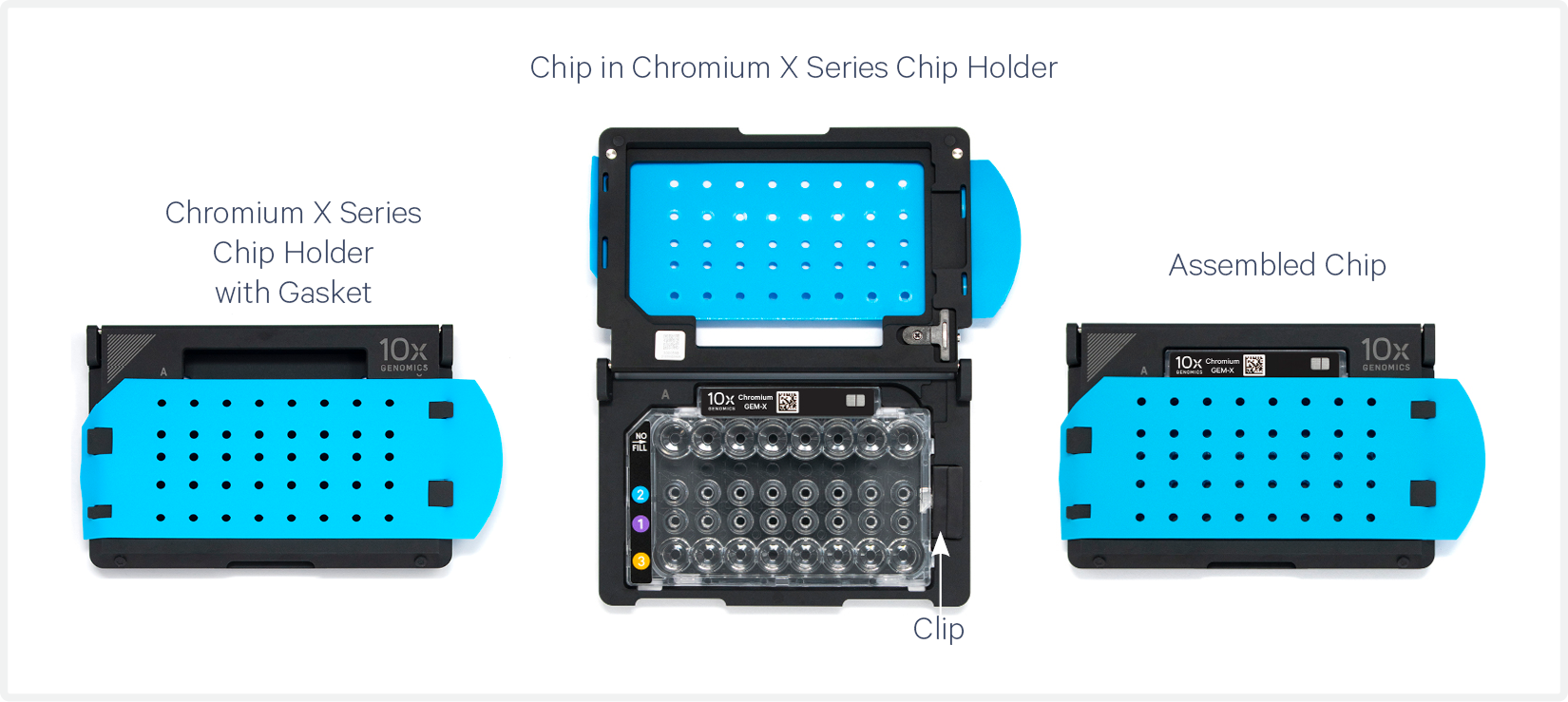
Close the holder lid. Attach the gasket by holding the tongue (curved end, to the right) and hook the gasket on the left-hand tabs of the holder. Gently pull the gasket toward the right and hook it on the two right-hand tabs.
-
DO NOT touch the smooth side of the gasket.
-
Open the chip holder.
-
Align notch on the chip (upper left corner) and the open holder with the gasket attached.
-
Slide the chip to the left until the chip is inserted under the guide on the holder.
-
Depress the right hand side of the chip until the spring-loaded clip engages.
-
Keep the assembled unit with the attached gasket until ready for dispensing reagents.
One of the rows of the gasket will not align with the GEM-X chip wells. This is expected and will not impact the assay.
A generic image representative of the GEM-X Chip is shown below. The Chromium X/iX Chip Holder is also referred to as Chromium X Series Chip holder.
GEM-X Chip Loading
-
Place the assembled chip and holder flat (gasket attached) on the bench with the lid open.
-
Dispense at the bottom of the wells without introducing bubbles.
-
When dispensing Gel Beads into the chip, wait for the remainder to drain into the bottom of the pipette tips and dispense again to ensure complete transfer.
-
Refer to Load GEM-X Chip for specific instructions.
Chromium X Series Instrument Firmware
-
Firmware version 2.0.0 or higher is required in the Chromium Series instrument (X/iX) to run the GEM-X chips.
-
The current firmware version of the instrument will be displayed on the instrument homescreen.
-
Consult the Chromium X Series Instrument User Guide with Readiness Test (CG000396) for detailed instructions on updating the firmware.
-
After an instrument run, to troubleshoot any potential clogs and failures, it is recommended to photograph the GEMs in the chip recovery wells and the pipette tips during GEM retrieval (or the tubes after GEM transfer).