Assemble GEM-X Chip
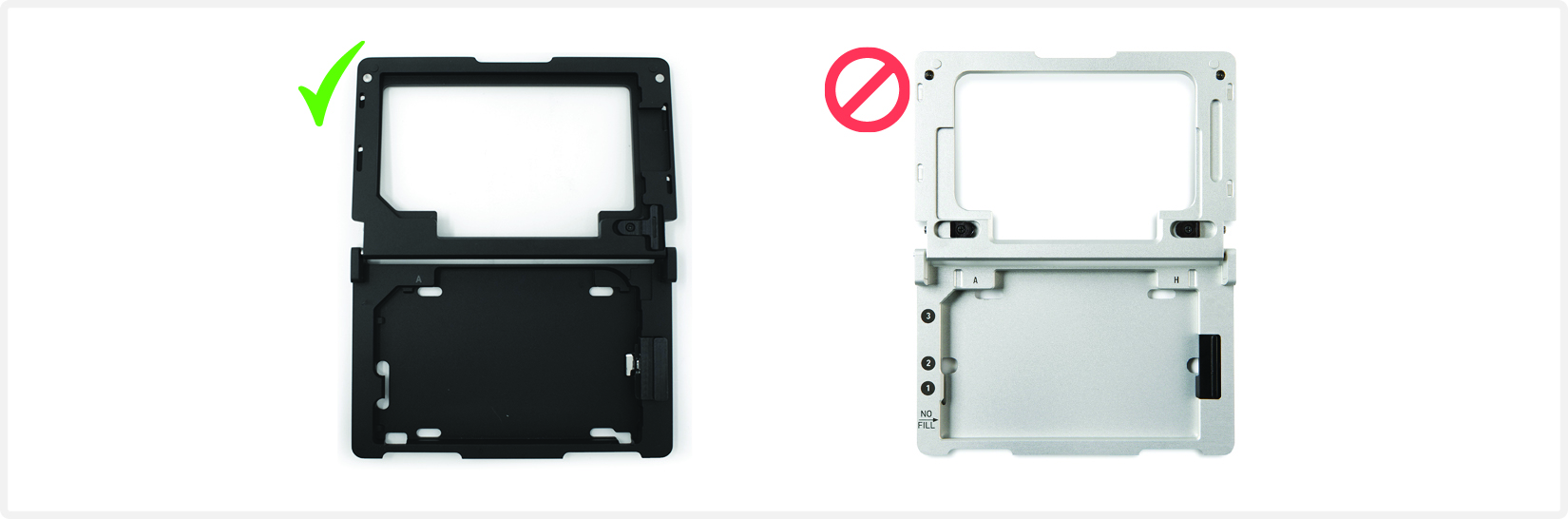
 GEM-X MO Chip is only compatible with Chromium X Series Chip Holder (PN-3000598). DO NOT use any other holder.
 See Tips & Best Practices for chip handling instructions.
-
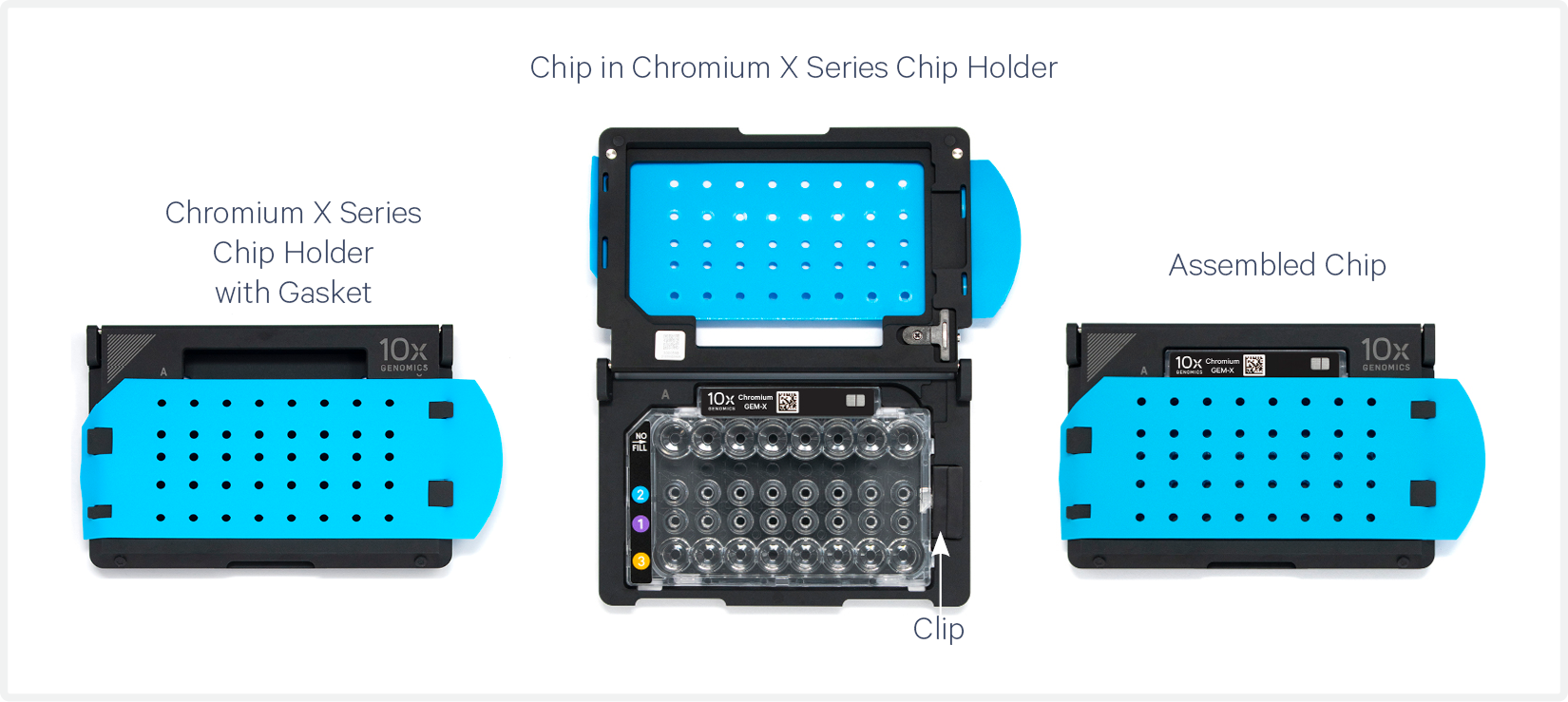
Close the holder lid. Attach the gasket by holding the tongue (curved end, to the right) and hook the gasket on the left-hand tabs of the holder. Gently pull the gasket toward the right and hook it on the two right-hand tabs.
-
DO NOT touch the smooth side of the gasket.
-
Open the chip holder.
-
Remove the chip from the sealed bag. Use the chip within ≤ 24 h.
-
Align notch on the chip (upper left corner) and the open holder with the gasket attached.
-
Slide the chip to the left until the chip is inserted under the guide on the holder. Depress the right hand side of the chip until the spring-loaded clip engages.
-
Keep the assembled unit with the attached gasket open until ready for loading and while dispensing reagents into the wells.
-
DO NOT touch the smooth side of the gasket.
-
The assembled chip is ready for loading the indicated reagents. See Load GEM-X Chip for reagent volumes and loading order.
-
After loading reagents, close the chip holder. DO NOT press down on the top of the gasket.
For GEM generation, load the indicated reagents only in the specified rows, starting from row labeled 1, followed by rows labeled 2 & 3.
DO NOT load reagents in the top row labeled NO FILL.